
Continuous innovation
We keep improving the retail workflow with sharper billing, smarter reports, and practical controls that help your store stay ahead.

Professional POS for serious retailers
Bloomeor POS gives your retail business one polished command center for billing, inventory, customers, GST-ready records, reports, staff permissions, and store-level visibility. It is built for teams that want fewer mistakes, faster checkout, cleaner operations, and better decisions every day.
Bloomeor POS keeps checkout ready for UPI, wallet, card-linked, and mobile payment flows across the payment apps Indian shoppers use every day.
We keep improving the retail workflow with sharper billing, smarter reports, and practical controls that help your store stay ahead.
Role-based access helps protect pricing, reports, refunds, and sensitive business actions.

User-centric screens make checkout, payments, and daily operations easier for every staff member.

A responsive support flow helps your team keep counters moving, answer questions, and avoid operational delays.

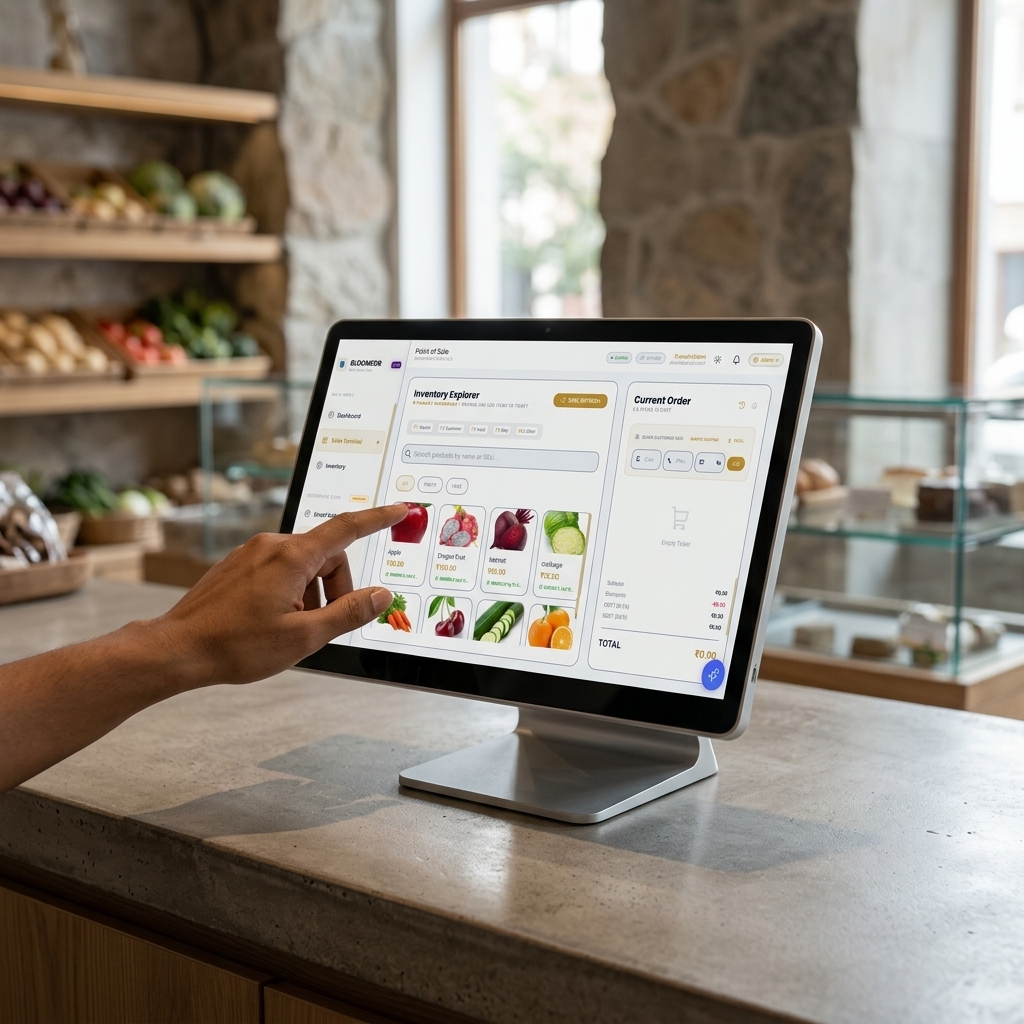
Designed around store reality
Bloomeor POS is made for the daily rhythm of retail: customers waiting, products moving, payments coming in, stock changing, and owners needing answers. The interface stays simple for the cashier while giving managers the control they need behind the scenes.

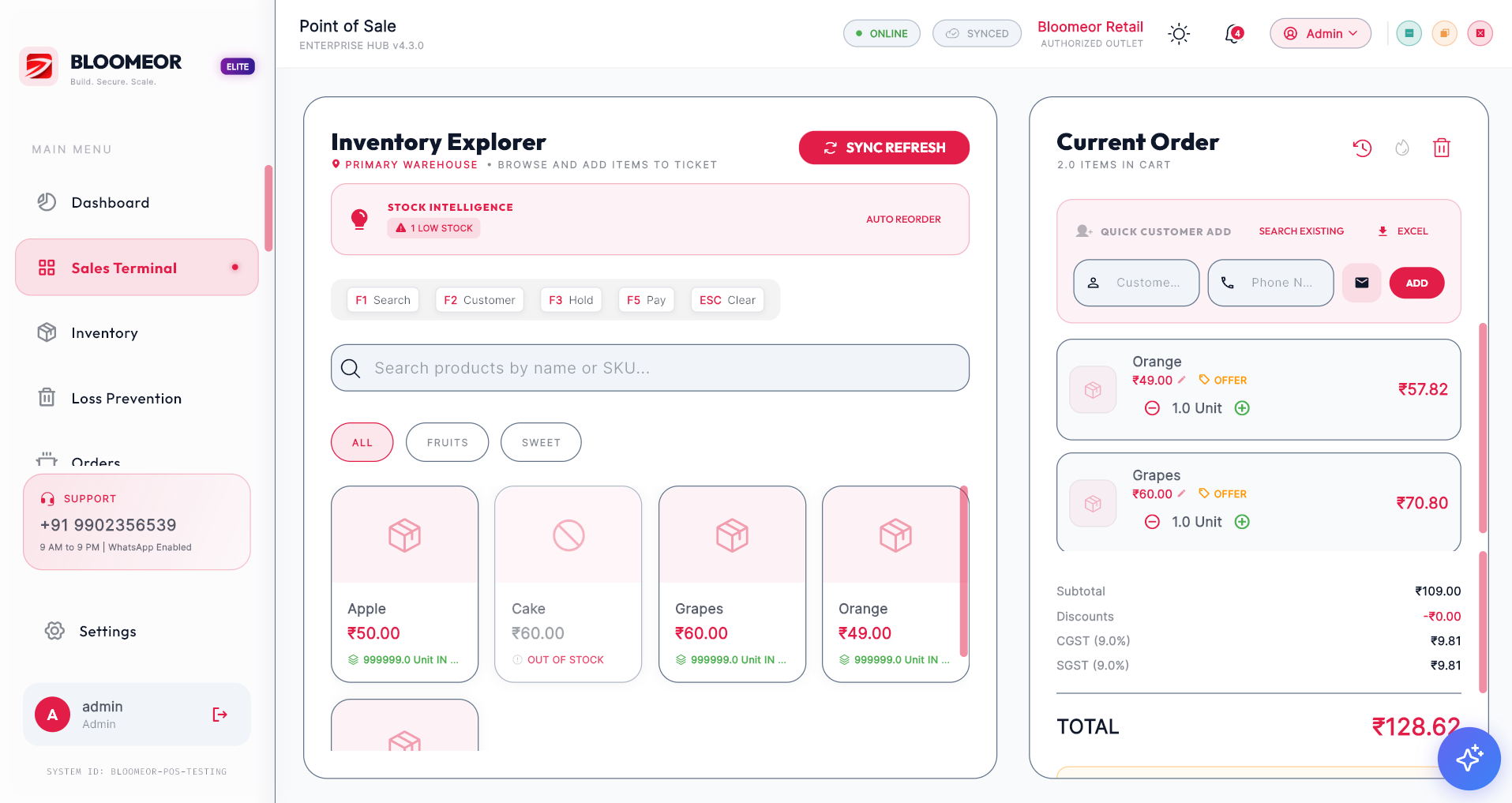
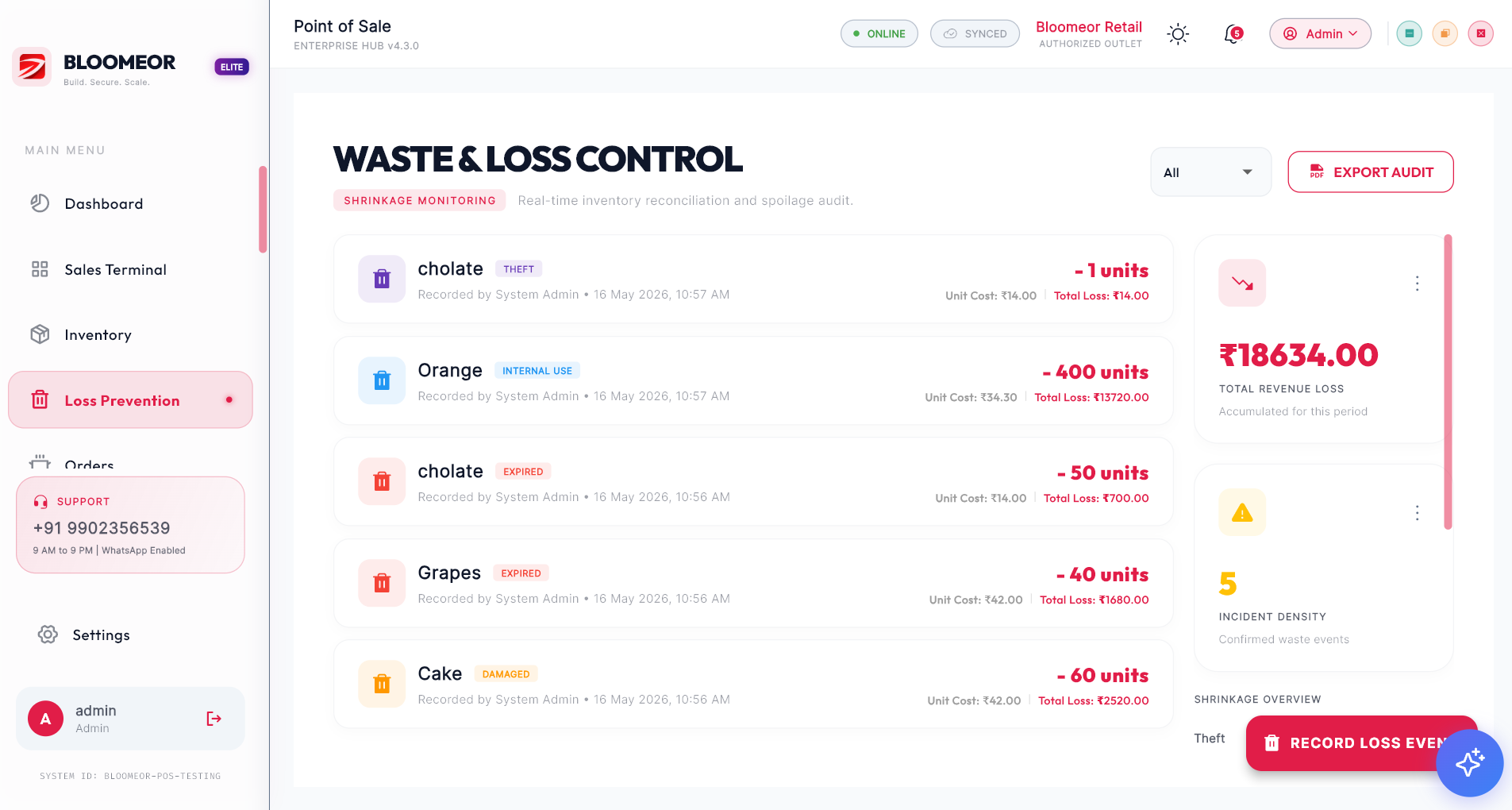
Why Bloomeor POS
A good POS should do more than print bills. It should protect your margin, reduce manual work, guide staff, and give owners a dependable view of what is happening in the business.
Create clean invoices, search items quickly, adjust quantities, apply discounts, accept multiple payment modes, and move customers through checkout without friction.
Track stock levels, purchases, wastage, expiry, item movement, low-stock alerts, and branch-level availability so your team knows what to reorder before sales are lost.
Keep customer profiles, purchase history, loyalty context, contact details, and service notes in one place so every counter interaction feels more personal and organized.
Review daily sales, margins, slow-moving items, payment mix, staff performance, stock leakage, and sales trends from reports designed for owners and managers.
Give cashiers, managers, owners, and back-office teams the right level of access with permissions that protect sensitive pricing, reports, refunds, and business data.
Start with one counter and grow into multiple users, departments, product categories, and locations while keeping your data and workflows consistent.
Staff can search by name, SKU, category, or product context. This reduces counter delays, avoids billing mistakes, and helps new team members become productive faster.
Item prices, taxes, discounts, payments, and receipt details stay structured. Your checkout experience feels professional to customers and reliable for your accounts team.
Every sale can reduce stock, every purchase can refresh stock, and every adjustment can be tracked. Owners no longer depend on guesswork to know what is available.
Managers can see what sold, what did not sell, which categories are growing, where margins are weak, and what needs attention before the next business day begins.
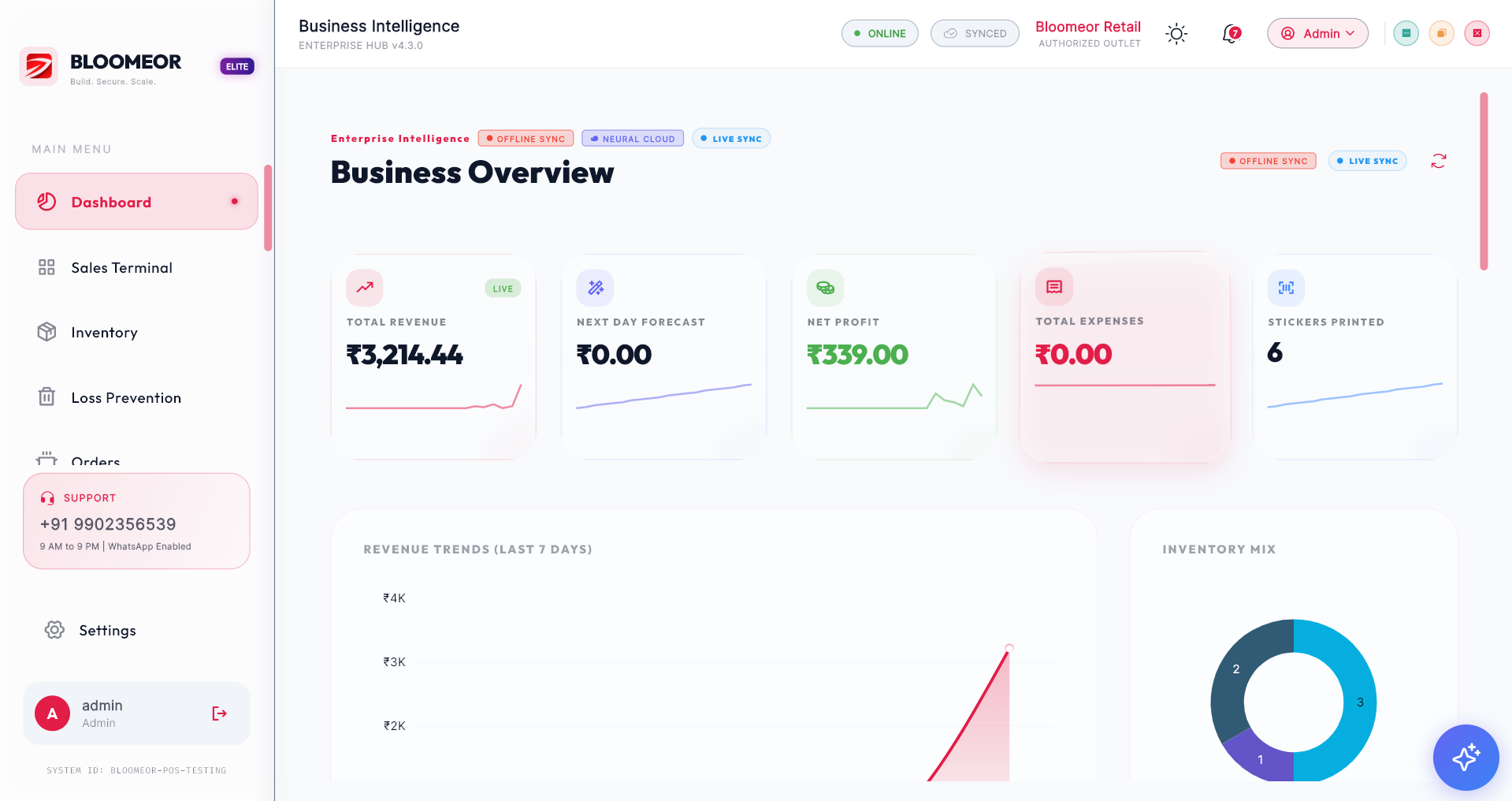
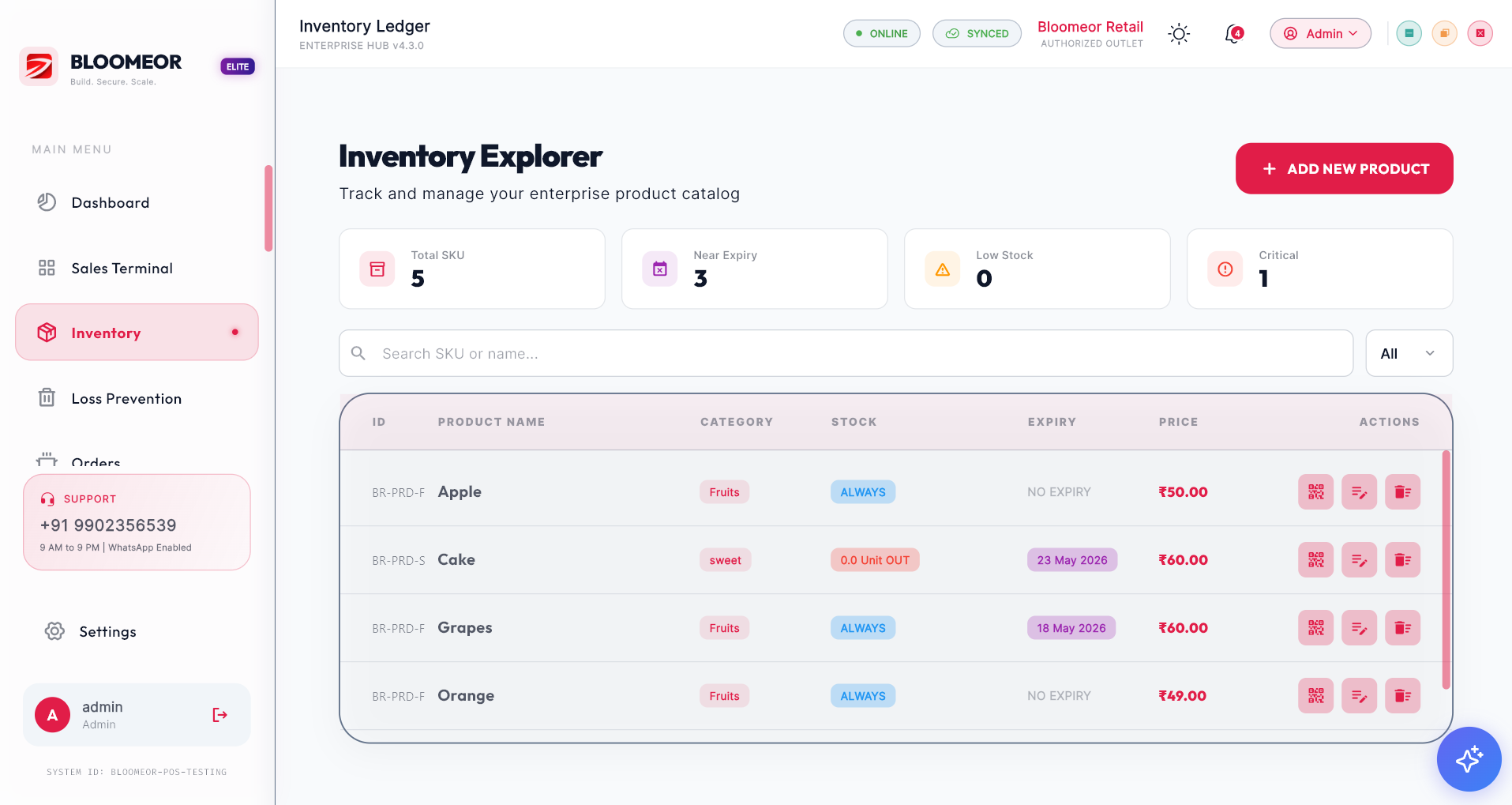
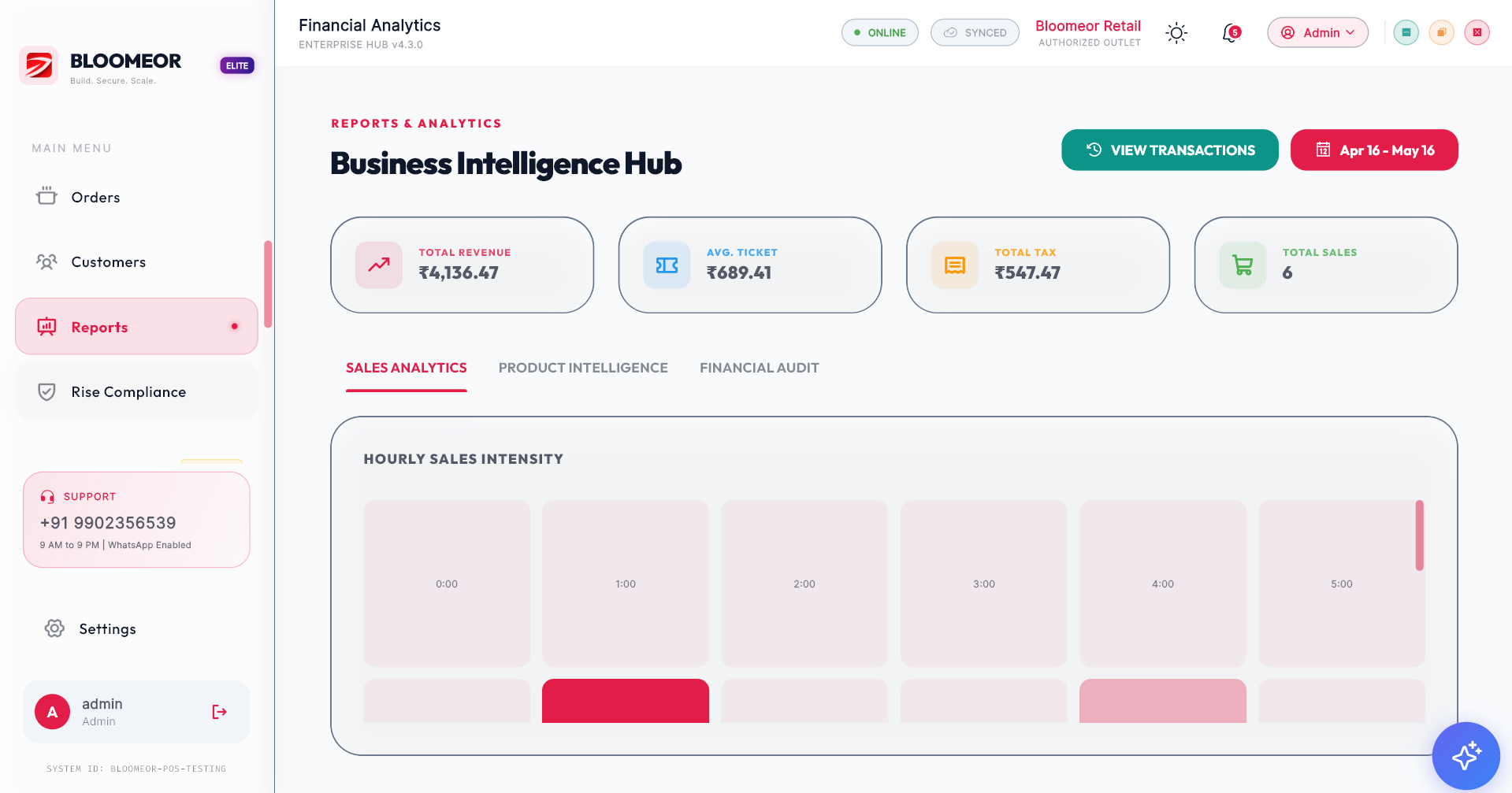
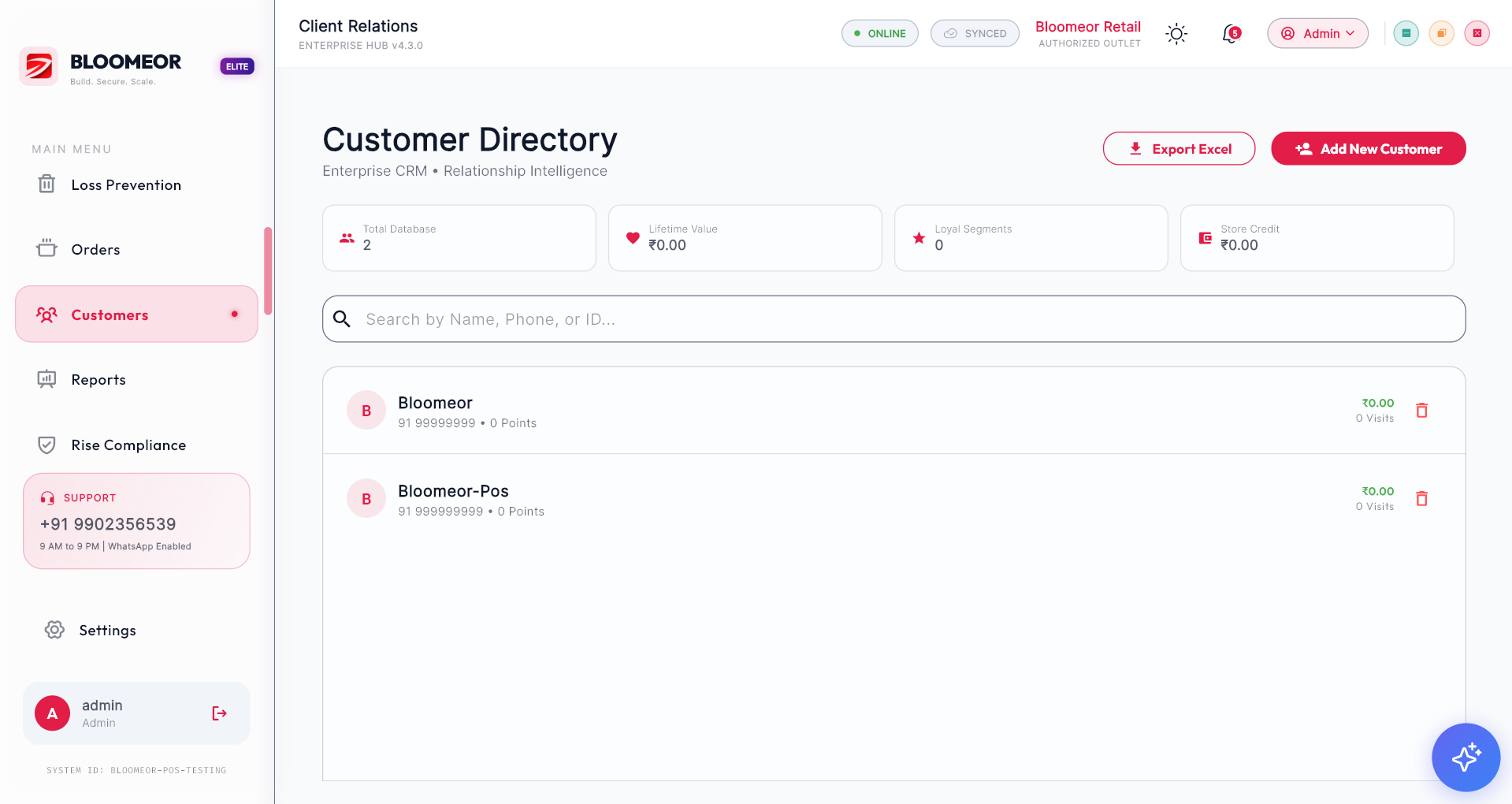
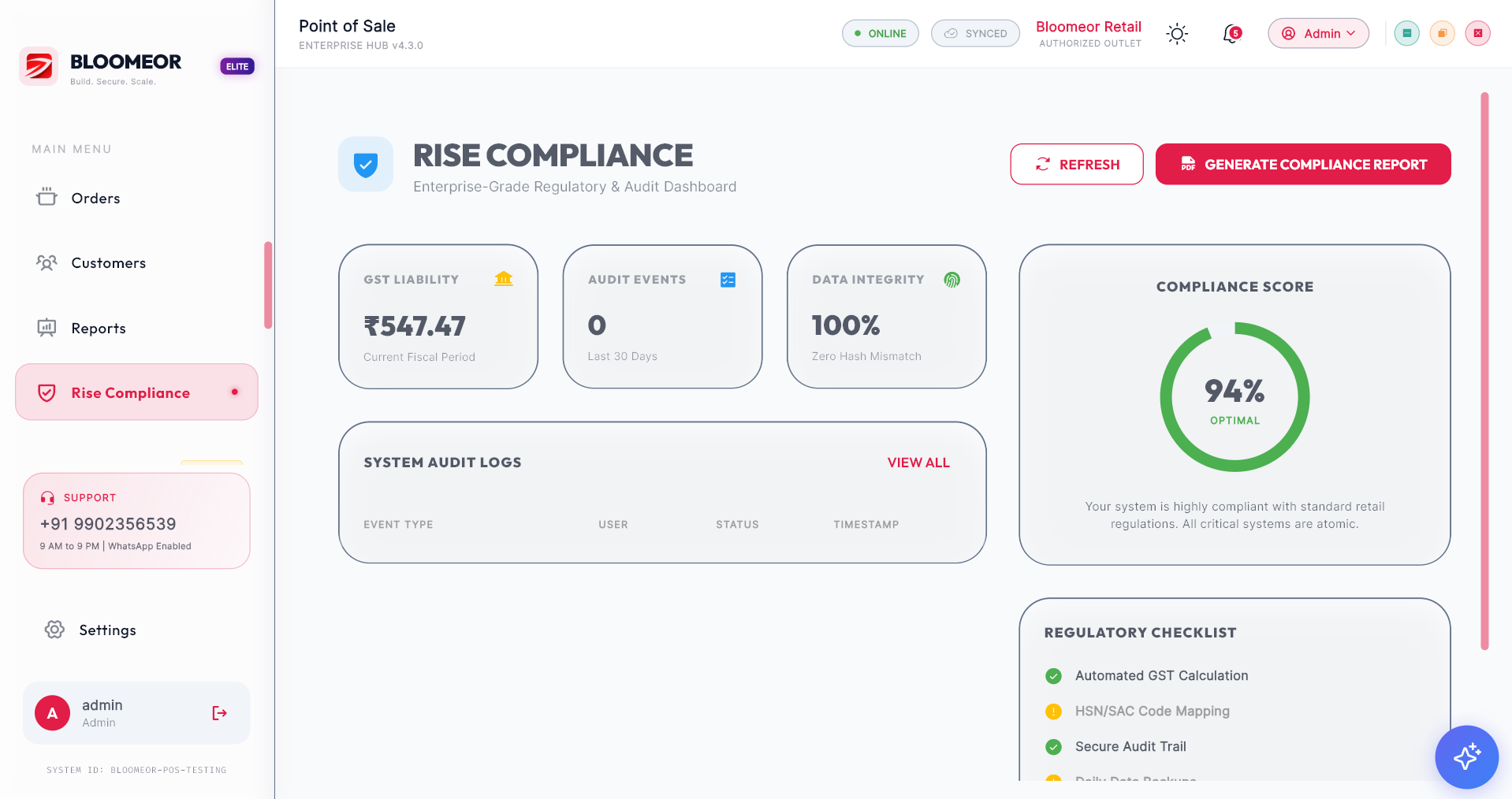
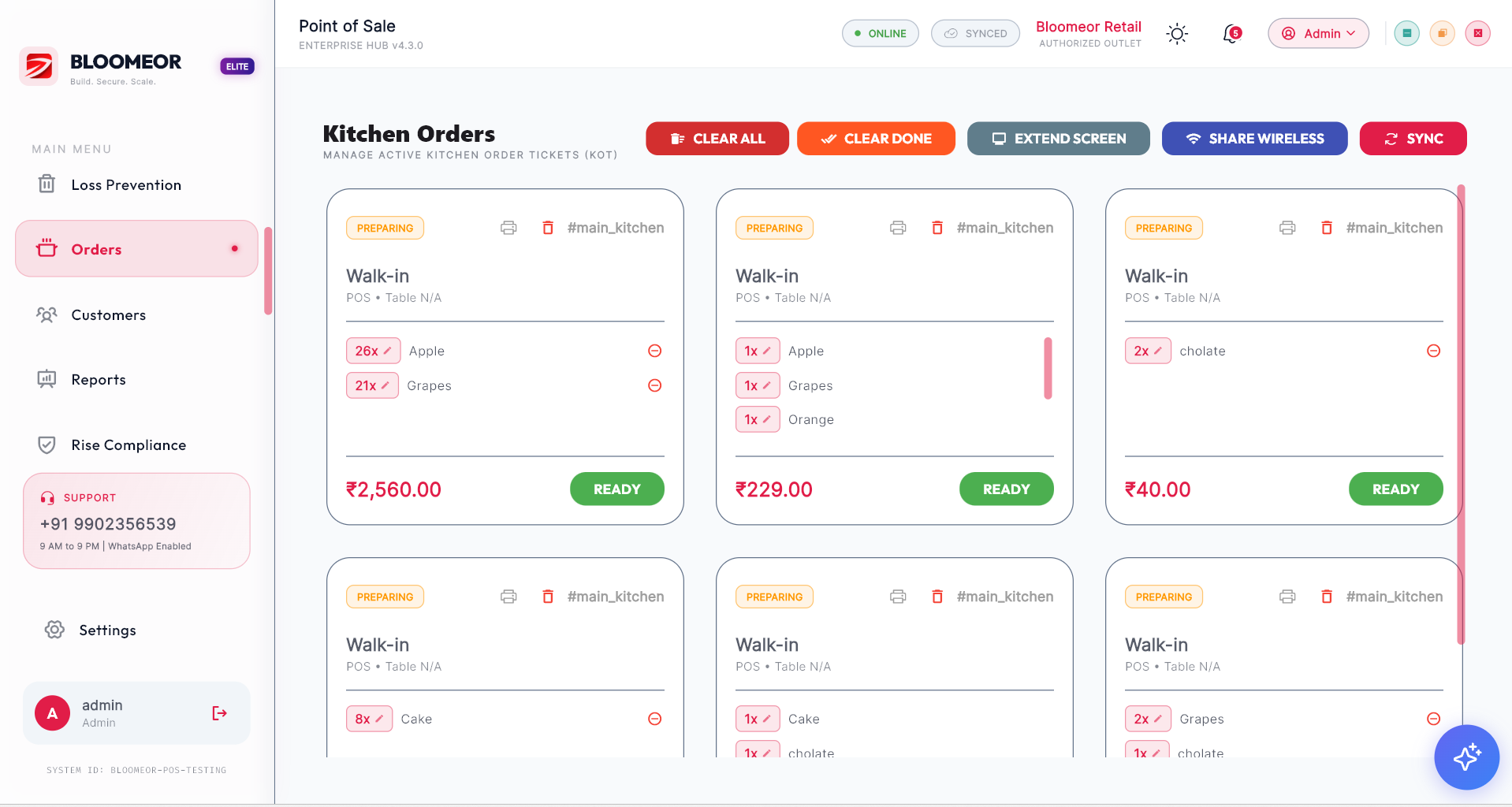
Product screens
Show the core Bloomeor POS screens in one polished walkthrough: dashboard, billing, inventory, reports, customers, compliance, loss control, and kitchen orders.
A better way to run retail
Built for many retail formats
Bloomeor POS is suitable for retailers that need practical control without adding operational complexity.
Fast counters, large catalogs, daily sales, and stock movement.
Inventory, expiry awareness, customer records, and clean billing.
Sizes, categories, seasonal demand, returns, and customer loyalty.
Higher-value products, staff permissions, reporting, and margins.
Orders, counters, kitchen coordination, and payment tracking.
Product bundles, repeat customers, margin tracking, and offers.
Consistent workflows, branch visibility, and controlled access.
A professional platform before operations become difficult to manage.
Secure and dependable
Retail software handles prices, customer details, invoices, refunds, staff activity, stock, and revenue. Bloomeor POS treats that data as business-critical. The system is designed with role-based access, structured records, and operational clarity so owners can run with confidence.
For your team, that means fewer uncontrolled changes. For your business, it means cleaner records and stronger accountability.
Customer feedback
Store owners and managers need software that helps the team sell, track, and report without slowing the business down. Here is the kind of feedback Bloomeor is built to earn.
“The biggest difference is control. Billing is faster, but the real value is that our stock and daily reports are no longer scattered.”
“My staff learned the flow quickly. It looks professional at the counter and gives me the reports I need after closing.”
Questions
A POS decision affects your counters, staff, customers, stock, reports, and accounts. Here are the practical answers.
No. It works for growing single-store retailers and can scale as you add users, counters, categories, and branches.
Yes. Bloomeor POS connects sales and inventory visibility so teams can track movement, low stock, damaged goods, and availability more clearly.
Yes. The product is designed around clean invoices, GST-ready billing workflows, payment tracking, discounts, and customer-facing receipts.
Yes. Bloomeor POS supports online payment workflows including UPI and wallet payment modes used with Google Pay, Paytm, PhonePe, Apple Pay, and BharatPe.
Because billing is only one part of retail control. Bloomeor POS helps manage the connected business picture: sales, stock, customers, teams, reports, and decisions.
Book a Bloomeor POS walkthrough. We will review your billing flow, inventory needs, staff roles, reporting expectations, and growth plan, then show how the platform fits your business.